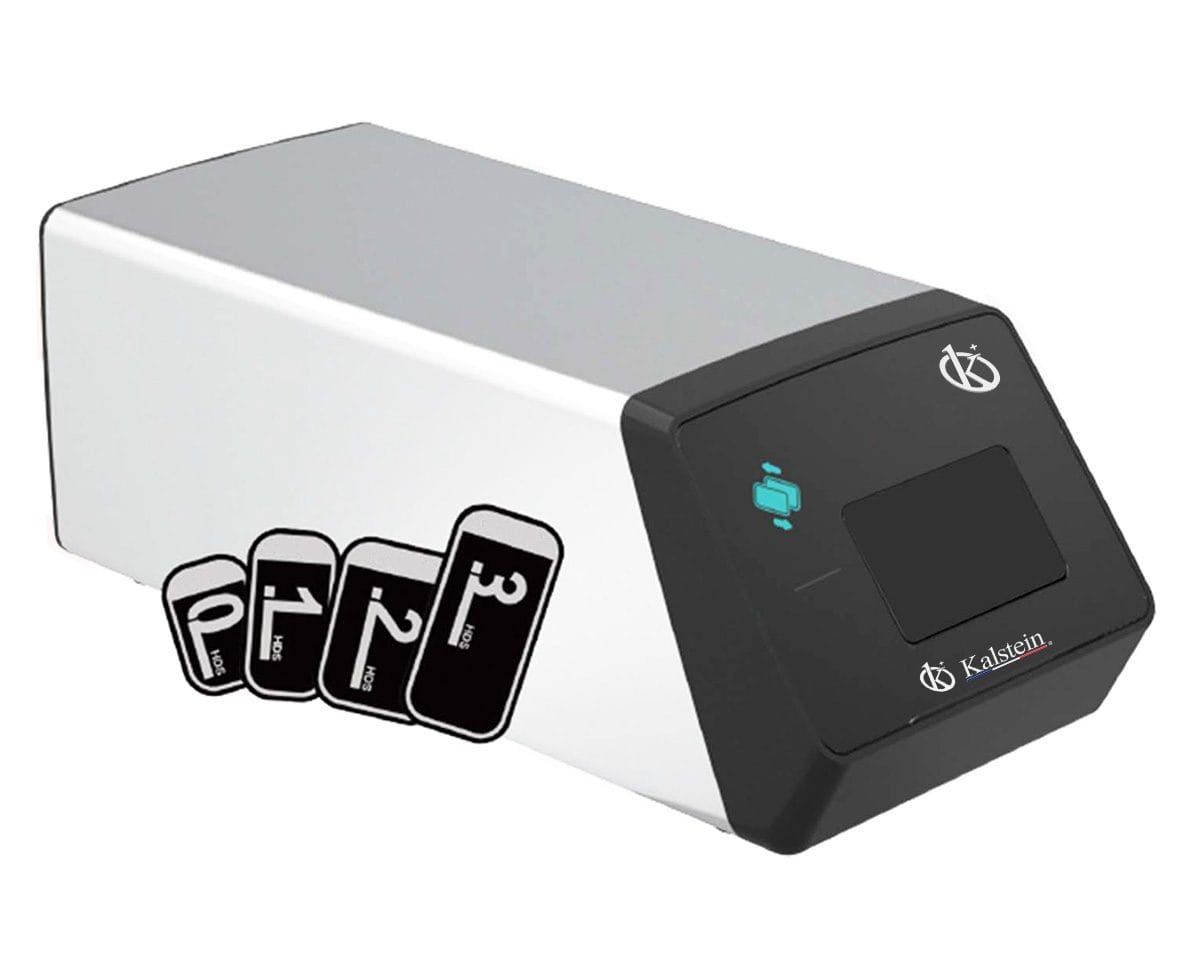
Rozwiązywanie problemów z systemem cyfrowym rentgenowskim YR06197: typowe błędy i rozwiązania
System cyfrowy rentgenowski YR06197 to kompaktowe i potężne urządzenie zaprojektowane do mobilnej i wygodnej diagnostyki w praktykach weterynaryjnych. Jednak, jak każda zaawansowana technologia, może stwarzać wyzwania. Artykuł ten zgłębi typowe kody błędów związane z YR06197 i przedstawi praktyczne rozwiązania do rozwiązywania problemów.
Typowe objawy i rozwiązania problemów
Operatorzy YR06197 mogą napotkać różne objawy, które wskazują na problemy z urządzeniem. Poniżej znajduje się przewodnik zorganizowany wokół typowych problemów, prawdopodobnych przyczyn i skutecznych rozwiązań.
| Objaw | Prawdopodobne przyczyny | Rozwiązania |
|---|---|---|
| Urządzenie nie włącza się | 1. Uszkodzony kabel zasilający 2. Rozładowana bateria 3. Wewnętrzna awaria sprzętu | 1. Sprawdź i wymień kabel zasilający 2. Naładuj baterię 3. Skontaktuj się z technikiem w celu inspekcji sprzętu |
| Wyświetlany kod błędu E-03 | 1. Nieprawidłowy czas ekspozycji 2. Awaria tuby | 1. Dostosuj ustawienia ekspozycji zgodnie z wytycznymi 2. Sprawdź tubę pod kątem uszkodzeń i wymień, jeśli to konieczne |
| Niekonsekwentna jakość obrazu | 1. Niezgodność płyty obrazowej 2. Niska bateria 3. Nieprawidłowe napięcie tuby | 1. Wyreguluj płytę obrazową 2. Upewnij się, że bateria jest naładowana 3. Dostosuj do prawidłowych ustawień napięcia |
| Obraz zajmuje zbyt dużo czasu na przetworzenie | 1. Niskie ustawienia prędkości przetwarzania 2. Niewystarczająca ilość miejsca na dane | 1. Zmień ustawienia na optymalną prędkość 2. Wyczyść pamięć lub zaktualizuj pamięć |
Specyfikacje techniczne YR06197
| Specyfikacja | Szczegóły |
|---|---|
| Model | YR06197 |
| Napięcie tuby | 60KV |
| Czas ekspozycji | 0.1~2s |
| Ogniskowanie tuby | 0.3mm × 0.3mm |
| Bateria | DC14.8V 6400mAh |
| Napięcie wejściowe ładowarki | AC100V-240V: 10% |
| Temperatura otoczenia | 5-40℃ |
Najczęściej zadawane pytania
Co powinienem zrobić, jeśli YR06197 nie włącza się?
Jeśli YR06197 nie włącza się, najpierw sprawdź kabel zasilający i upewnij się, że jest prawidłowo podłączony. Dodatkowo sprawdź akumulator, aby zobaczyć, czy wymaga naładowania. Jeśli te kroki nie rozwiążą problemu, może to wskazywać na wewnętrzny problem sprzętowy wymagający profesjonalnej obsługi.
Jak mogę rozwiązać kod błędu E-03 w YR06197?
Kod błędu E-03 może wskazywać na problemy z ustawieniami ekspozycji lub funkcjonalnością rurki. Zacznij od weryfikacji, czy czas ekspozycji jest ustawiony prawidłowo zgodnie z wytycznymi. Jeśli ustawienia są dokładne, sprawdź rurkę pod kątem jakichkolwiek oznak awarii lub uszkodzenia.
Co może powodować niespójną jakość obrazu w YR06197?
Niespójna jakość obrazu może wynikać z niewłaściwego ustawienia płyty obrazowej, niskiego poziomu naładowania akumulatora lub nieprawidłowych ustawień napięcia rurki. Upewnij się, że płyta obrazowa jest prawidłowo ustawiona, sprawdź poziom naładowania akumulatora i dostosuj napięcie rurki w razie potrzeby, aby poprawić jakość obrazu.
Dlaczego przetwarzanie obrazów w YR06197 zajmuje tak dużo czasu?
Prędkość przetwarzania obrazów może być wpływana przez ustawienia urządzenia lub dostępne miejsce na dane. Sprawdź ustawienia prędkości przetwarzania i zoptymalizuj je dla lepszej wydajności. Dodatkowo, jeśli pamięć zbliża się do pojemności, zwolnienie trochę miejsca może pomóc przyspieszyć przetwarzanie obrazów.
Jakie są zalecane warunki pracy dla YR06197?
YR06197 najlepiej działa w środowiskach o temperaturze otoczenia 5-40℃ i wilgotności względnej poniżej 75%. Upewnij się, że miejsce pracy spełnia te warunki, aby utrzymać optymalną wydajność.
Jak często powinienem przeprowadzać konserwację YR06197?
Regularna konserwacja YR06197 jest kluczowa dla jej długowieczności i wydajności. Zaleca się sprawdzanie i kalibrowanie systemu co sześć miesięcy oraz przestrzeganie wytycznych producenta dotyczących dodatkowych wymagań konserwacyjnych.
Gdzie mogę znaleźć kompatybilne akcesoria do YR06197?
Możesz znaleźć kompatybilne akcesoria i części zamienne do YR06197 u różnych dostawców i producentów. Zawsze odwołuj się do instrukcji obsługi lub strony internetowej producenta w celu uzyskania rekomendowanych akcesoriów, aby zapewnić kompatybilność i optymalną funkcję.
Jeśli szukasz wyceny dla YR06197 lub potrzebujesz więcej informacji, skontaktuj się z nami.
Jeśli szukasz połączenia innowacji i jakości, trafiłeś we właściwe miejsce. W Kalstein oferujemy Ci luksus eksploracji naszego ekskluzywnego katalogu sprzętu laboratoryjnego. Każde urządzenie produkujemy zgodnie z najwyższymi standardami doskonałości. Nasze intuicyjne i bezproblemowe kanały zakupu online są zaprojektowane z myślą o Twojej wygodzie, zapewniając najkonkurencyjniejsze ceny. Nie wahaj się dłużej — przywracamy naukę do życia, czas stać się częścią naszej społeczności.